Dubai, UAE /
Dubai, UAE /
 Can't find an email?
Easily recover deleted emails
- - It's easy to recover permanently deleted emails
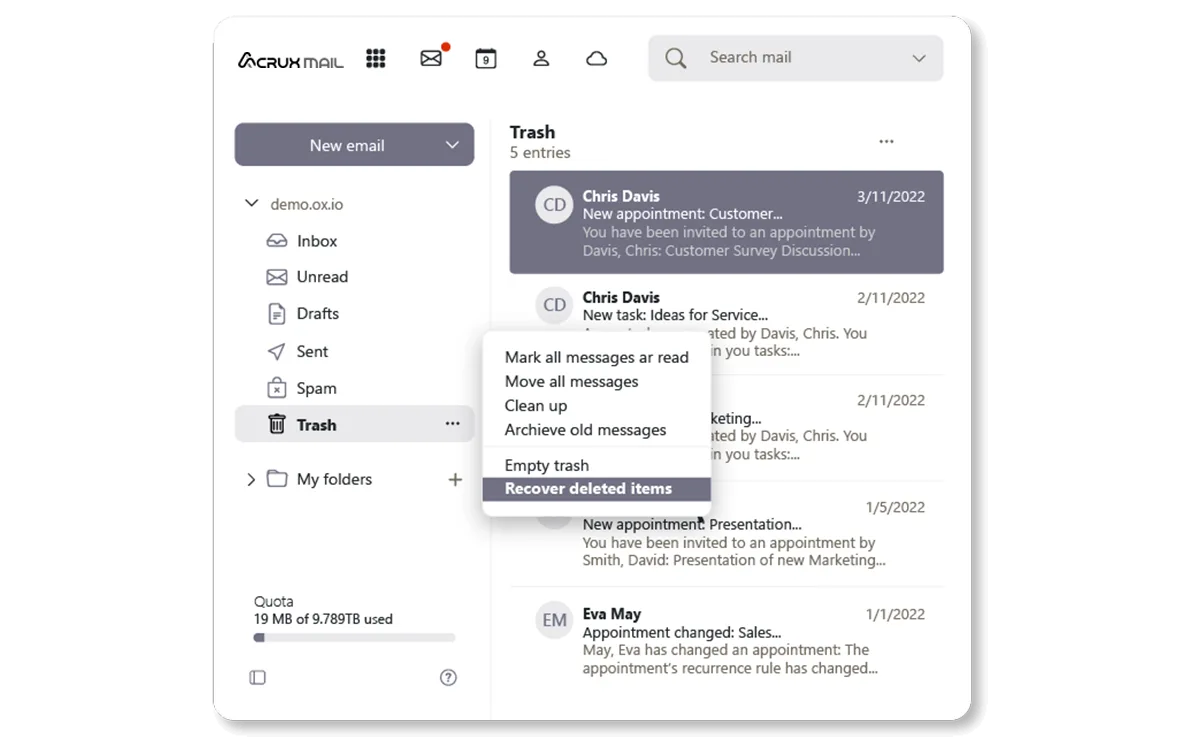
- - Click on the "Actions for Trash" icon and select "Recover Deleted Items from the drop-down menu
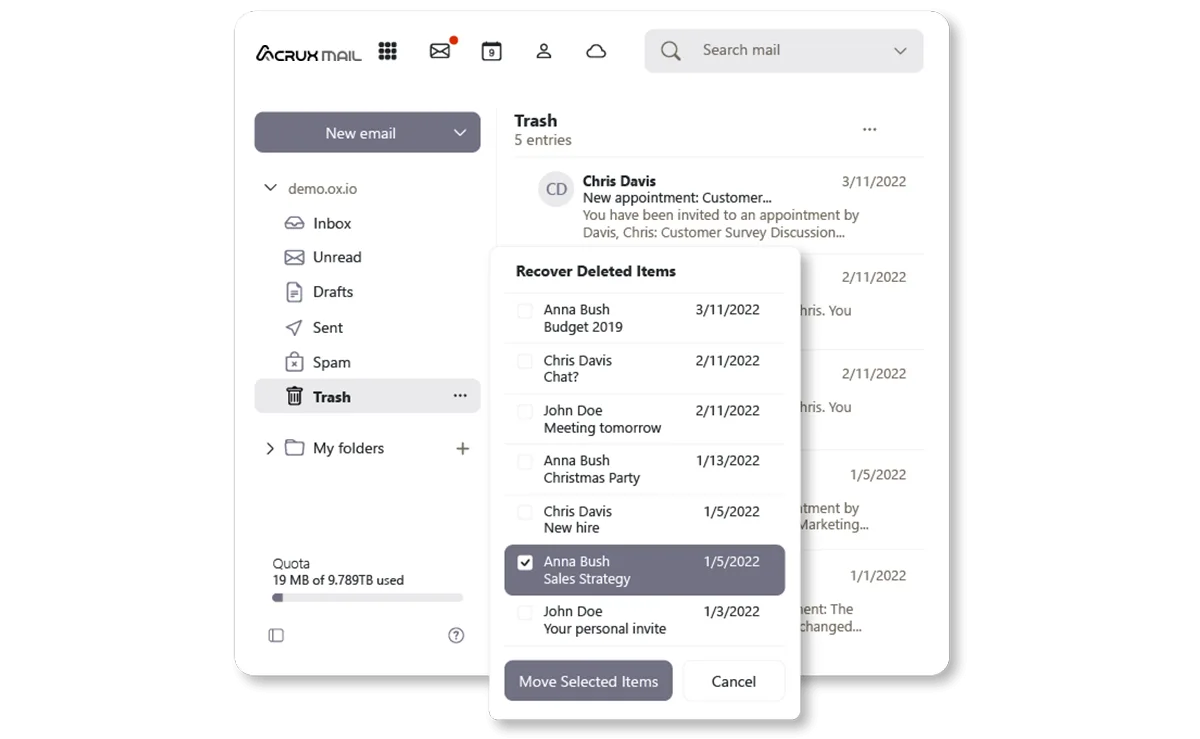
- - Select which emails you'd like to recover from the email list
- - Then click "Move Selected Items" and decide which folder you'd like to move the recovered emails to